A compliance question usually arrives late in a Webflow project. Someone in legal asks: is this hosted in the EU? The honest answer has two parts. The site itself is served by Webflow's global infrastructure. The personal data that visitors leave behind is something you can mostly control. This article explains where the line sits and what we do about it.
Where a Webflow site is actually hosted
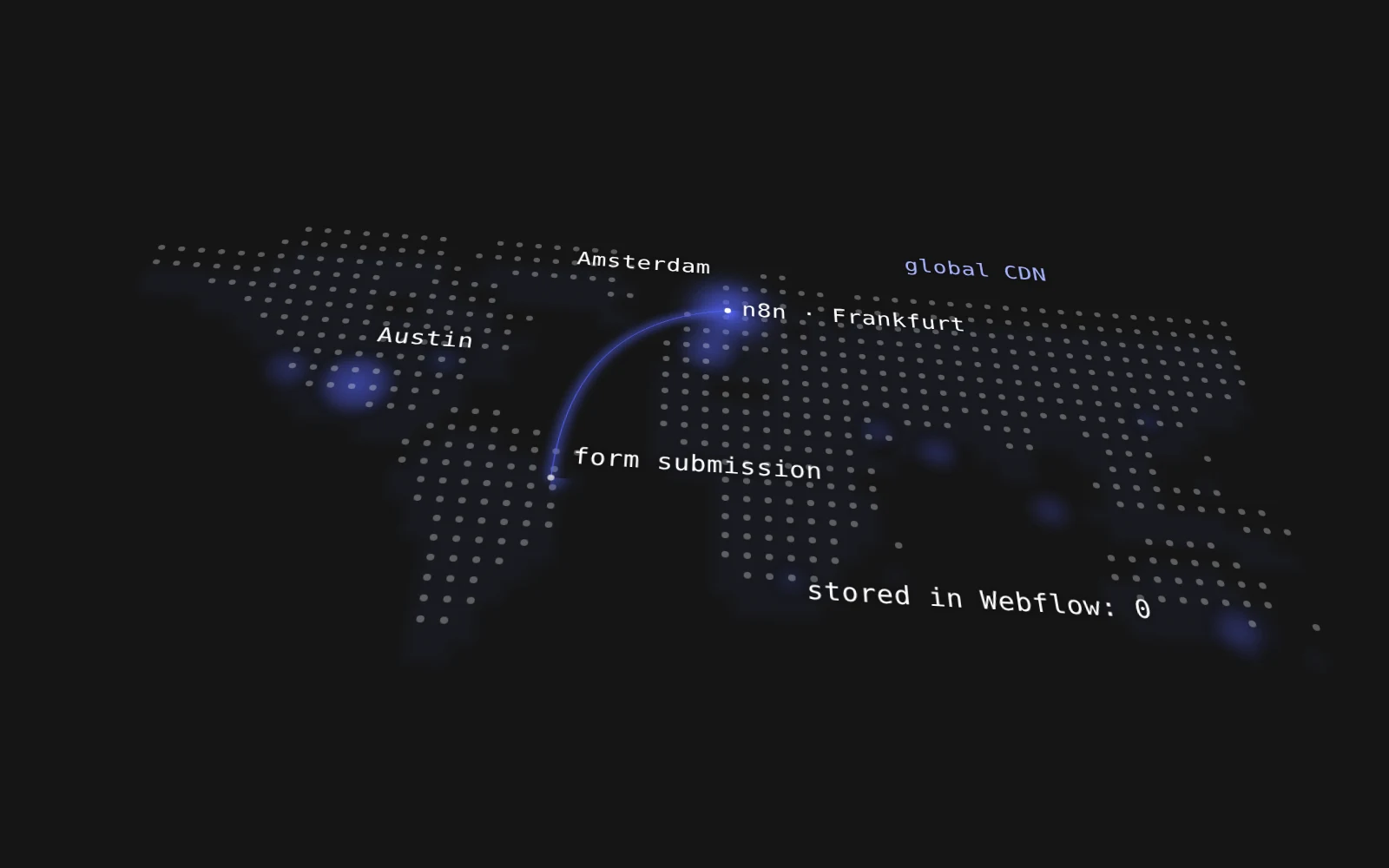
Webflow hosts your site for you. Pages are delivered through a content delivery network, so a visitor in Amsterdam and a visitor in Austin both get the page from a server close to them. Webflow is a US company, and at the time of writing we are not aware of a setting that restricts a standard site to EU servers only.
That sounds worse than it is. A page with a headline, a product description and a photo contains no personal data about the visitor. The legal weight sits elsewhere.
We say "as far as we know" on purpose. Webflow changes its plans and infrastructure, and enterprise terms can differ from standard ones. Check the current documentation and the data processing agreement before you decide. Both are listed in the sources below.
Where personal data really enters your site
On a typical B2B site, personal data comes in through five doors:
- Forms: names, email addresses, phone numbers, free text.
- Analytics and tag managers: IP addresses, identifiers, behaviour.
- Embedded media: video players and maps that set cookies or call third-party servers.
- Fonts and scripts loaded from external servers.
- Chat widgets, booking tools and other third-party scripts.
Hosting location does not fix any of these. A site hosted in Frankfurt that loads a US analytics script still sends data to the US. So the useful question is not "where is the site hosted?" but "where does each of these five doors lead?"
How we handle forms: n8n in Frankfurt, not Webflow
Forms are the biggest source of personal data on a B2B site, and they are the part we can change most.
We do not let form submissions land in Webflow. Forms post directly to our n8n environment in Frankfurt. From there, n8n forwards each submission to wherever the client wants it: a mailbox, a Drive folder or a CRM.
For MapsTell, for example, we connected forms to Zoho CRM. The principle is the same for every client: one route, no copy sitting in the website platform.
There is one honest limit. Once the data leaves n8n, its location depends on the client's systems. A mailbox, a Drive account and a CRM each have their own data region and their own terms. So we go through them per client and tell you what we find. If your CRM offers an EU region and it is not switched on, that is a settings change we will flag.
What this costs you
It is more work than the built-in Webflow form handling. Someone has to build the n8n flow, test it, and keep it running. Webflow's native form notifications work in minutes. If your site has one contact form and no compliance pressure, the native route may be enough. We use the n8n route when the client has a legal reason, a CRM to feed, or both.
The rest of the checklist
Forms are the main fix. These are the others, in the order we usually work through them:
- Analytics: choose a tool and a setup you can defend, and load it only after consent where the law requires it.
- Fonts: self-host them instead of calling an external font server.
- Video and maps: use privacy-friendly embed modes, or a click-to-load placeholder.
- Third-party scripts: list every one, and remove those nobody can explain.
- Agreements: sign the data processing agreement with Webflow and check how international transfers are covered.
- Records: write down what you collect, why, and where it goes. Your privacy officer will want this anyway.
None of this is exotic. It is a few hours of careful work at build time, and a much larger headache if you do it after launch.
When Webflow is the wrong choice
If your legal or contractual position says the website itself must be served only from EU servers, a standard Webflow site will not meet that. In that case you need a different hosting setup, or a written position from your legal team that CDN delivery of static pages is acceptable.
That is rare for B2B marketing sites, but it does happen in public sector, health and some finance work. We would rather tell you in the first call than after the design is signed off.
This article is not legal advice. Your data protection officer or lawyer makes the final call.
Where this fits in a B2B Webflow build
Data handling is one decision among many in a B2B site: structure, CMS, forms, CRM connections, speed, content. We cover the whole picture in our guide to Webflow for B2B websites. If you are weighing Webflow against another platform, start there, then come back to this checklist for the compliance details.
Read next
- Website maintenance: what it involves and who does it
- New website: the process from brief to launch
- Webflow for B2B: costs, limits and how it works