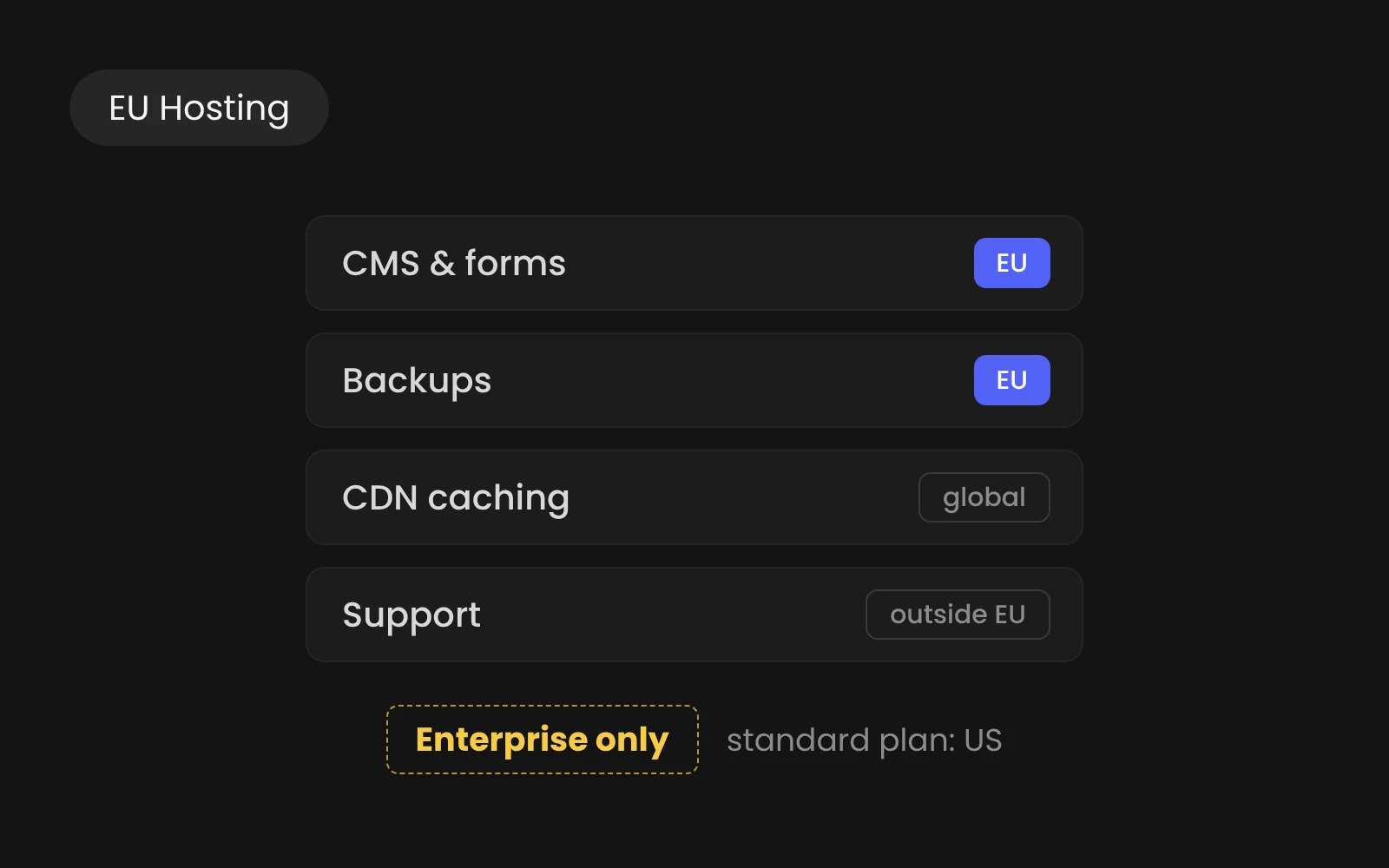
Webflow has announced EU Hosting, and if you run a B2B site on Webflow you probably want one answer: does this change anything for me? This article explains what the feature does, what it leaves out and what you can do on a standard plan. We wrote it for marketing and IT leads who have to choose between Enterprise and the plan they already have.
What EU Hosting is, and what it is not
With EU Hosting, your site runs on a separate Webflow deployment in the EU, with its own databases, backups and login, and site data is stored at rest in the EU. That is a different thing from a region setting you switch on in your project. Because it is a separate deployment, migrations of existing US sites are handled case by case, so you should plan it as a project rather than a toggle.
It is also an Enterprise feature, which changes how you buy it. EU Hosting is available on specific Enterprise plans, and you start by contacting sales or your Webflow account team. Webflow does not say which plans qualify. On the pricing page, EU Hosting is listed under Enterprise, and Enterprise pricing is custom, so we cannot quote a price here.
What is covered and what you lose
The coverage is broad. Site data includes the CMS, assets, forms, backups, localization and Ecommerce, and the Designer comes with a separate EU login. EU APIs, EU MCP and Webflow Cloud EU are part of it too. If your site is mostly pages, a CMS and forms, most of what you build is inside that boundary.
The trade-off is in the products you can no longer use. Marketplace and Apps, Analyze, Optimize, Campaigns and AEO are not available with EU Hosting. So before you ask for a quote, check whether your site depends on any of them, because a marketing team that relies on Optimize for testing would not have it with EU Hosting.
What still leaves the EU
"Stored at rest in the EU" is not the same as "nothing leaves the EU", and Webflow says so itself. Some data is still processed or stored outside the EU, including CDN caching, data processed by subprocessors that support certain features, and data used to provide customer support. The details are visible in Webflow's subprocessor list: Cloudflare, as the content delivery network, routes traffic to worldwide data centres closest to the user's location, and the customer support subprocessors include Zendesk, a customer service platform in the United States.
Webflow is also a US company. Its Data Processing Addendum names Webflow, Inc. in San Francisco as the data importer. Webflow's announcement makes no GDPR claim, and we would not read one into it, because responsibility is shared. Webflow, as a processor, has its own obligations under the GDPR, and you, as the controller, have separate obligations of your own. So whether your site complies depends on what it collects and where that data goes next.
What you can do on a standard plan
On a standard plan nothing changes. Webflow's privacy FAQs say it stores customers' and end users' data in the United States, where Webflow is based. So treat native form submissions as outside the EU, and do not assume a setting exists that moves them.
The first step does not depend on your plan: the Data Processing Agreement is available to all customers regardless of plan and is incorporated by reference in the Terms of Service by default, and you can sign a pre-signed version. The second step is where the real exposure sits. In our experience, a marketing site with few personal data points can send its forms directly to an EU processor instead of using native forms. In our own builds that is n8n in Frankfurt, which passes the data on to the CRM, mailbox or Drive. After that, check analytics, fonts, embeds and third-party scripts, because they send data too.
A short way to choose
Enterprise with EU Hosting fits if a contract, a client or your sector (government, healthcare, and in part finance) requires site data to be stored in the EU, and the site does not lean on Apps, Analyze, Optimize, Campaigns or AEO. A standard plan is usually enough for a marketing site with limited personal data, a signed DPA and forms that post straight to an EU processor.
Neither route works if the requirement is that the site is served exclusively from EU servers. That is because Webflow Enterprise is delivered through Cloudflare's global CDN, and Webflow lists CDN caching among the things that can happen outside the EU. So we recommend putting the exact wording of the requirement in front of Webflow's team and your own legal contact before you decide.
Read next
- The downsides and limits of Webflow
- Website maintenance: what it involves and who does it
- Webflow for B2B websites: costs, limits and how a project runs